


Courtyard Zen: Quest
4.8118.00 Reviews
App Specs
- Version
- 1.1.0
- Updated On
- License
- Free
- Downloads
- 10,000+
- Developer
- HomeTech & Data Solutions, LLC
- Categories
- Puzzle
- Platform
- Android
Screenshots
 Analysis by AppCompare
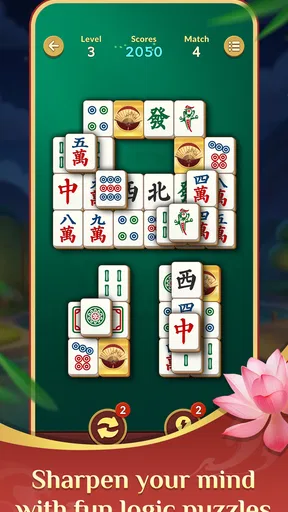
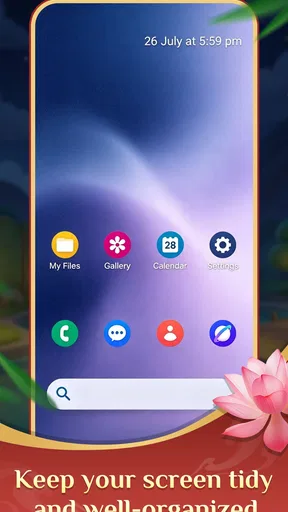
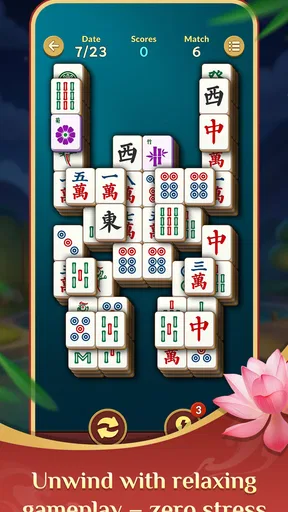
Courtyard Zen: Quest is an unusual puzzle game because it sits between a practical phone tool and a quiet matching activity. I approached it less like a conventional game with levels, competition, and constant rewards, and more like a small pause built into the way I use my phone. Its central idea combines app searching with a relaxing mahjong-style matching activity, which makes the experience feel different from a standard puzzle download.
That combination is also the first thing to understand before installing it. If you want a deep strategy game, a large adventure, or a feature-packed launcher, this may feel too restrained. If you like the idea of finding apps quickly and then settling into a calm visual puzzle, the concept has genuine appeal. I found the best way to judge it was not by expecting it to replace a full mahjong game, but by seeing whether its two parts make everyday phone use feel less scattered.
Where the experience can become confusing
The game is made by HomeTech & Data Solutions, LLC, and it is listed as a free puzzle title for Teen users. It has a 4.8 average from around 458 ratings, with around 109 written reviews and over 10K installs. Those figures suggest that the idea has found a small but positive audience, although they do not make it a substitute for a long-established puzzle platform with a huge community.
The most likely point of friction is the mixed identity. I normally expect a launcher to help me reach another app, while I expect a puzzle game to keep me inside a focused play space. Here, both expectations meet. A person opening it for a quick matching session may initially wonder why app search is part of the experience. Someone looking for a straightforward launcher may instead see the mahjong-style activity as an extra step.
My advice is to decide what you want from each visit. When I treated the search function as a quick starting point and the matching activity as the destination, the design made more sense. When I expected every screen to behave like a traditional game menu, the arrangement felt less obvious. This is not a flaw that makes the title unusable, but it does mean the first few minutes require a little patience.
The important trade-off is simplicity versus depth. A calm interface can be pleasant when I want to reduce distractions, yet it can also leave fewer obvious cues for players who prefer detailed instructions, progress systems, or a strong sense of escalation. Courtyard Zen: Quest suits a short, self-directed session better than a demanding puzzle routine built around mastery.
What to check before blaming the game
Because the app combines utility and play, I would first check the basics of how it is being opened. On an Android device, it requires Android 8.0 or later. If the phone is running an older system, installation or normal operation can become the apparent problem even though the title is simply outside the device’s supported range.
Worth Reading Before You Choose

Flipboard Shows What News Apps Must Do Beyond the Feed

Switching to Android Auto Means Rethinking Your Driving Routine

Google Calendar Makes a Crowded Week Easier to Manage

Ludo King Makes the Most of the Minutes Between Plans

Baby Panda World Brings Quick Play to Modern Phones, but Its Game Library Feels Busy

ESPN’s Live Game View Makes Following Close Games Easier
I would also make sure the installation has finished before judging the first launch. A partially completed download, a crowded device, or a temporary store issue can make a new app appear unresponsive. Closing unrelated apps and reopening the game is a sensible first step, especially on an older phone where background activity may compete for available resources.
The current version is 1.1.0, so I would check that the installed build matches the current store version before spending time on more complicated fixes. This is particularly useful if the app was installed a while ago and the phone has retained an earlier build. Updating through the normal store process is safer than looking for unofficial copies, especially for an app that sits close to the phone’s everyday workflow.
Another useful check is orientation and touch behavior. A matching game depends on clear taps, while a launcher-style screen depends on selecting the intended app or search result. If taps seem inconsistent, I would test the same area in another app. A thick screen protector, a damp display, or a system-wide touch problem can create the impression that the puzzle board is failing when the issue is actually with the phone.
A calmer setup for the first session
I recommend opening the game when you are not rushing to reach another app. The first session is a poor time to test it while answering a message or trying to start a meeting. Give yourself a few minutes to understand how the search side and the matching side relate. That small change in context removes much of the initial confusion.
For everyday use, I would place the app somewhere easy to reach rather than burying it inside a large games folder. Its value depends on being available during small gaps in the day. A simple routine works well: open it when you need to locate an app, finish that task, and return later when you want a quiet puzzle break. This avoids forcing the two functions into one continuous session.
It is also worth deciding whether you want this title to be your main way of finding apps. If your phone already has a fast, familiar search gesture, the launcher element may not save much time. In that case, the game’s strongest role may be the relaxing activity, with app search acting as a secondary convenience. If your home screen is crowded, however, the combined approach can feel more useful because it gives the app a practical reason to stay installed.
Teen is the listed content rating, so I would still treat it as a game intended for an older audience than a children’s-only product. That does not automatically make it unsuitable for every family, but parents should consider the rating alongside their own device rules. The free price makes trying it easy, although “free” should not be confused with a guarantee that it will suit every phone or personal preference.
Recovering when a session does not go smoothly
When the app opens but the expected screen does not appear, I would avoid repeatedly tapping every visible control. That can make it harder to tell whether the problem is a delayed response or an accidental selection. Instead, I would pause, return to the previous screen if possible, and reopen the intended part of the experience. A clean restart is often more informative than a series of hurried taps.
If the app closes unexpectedly, my recovery order would be simple: reopen it, restart the phone if the problem repeats, and check for an available update. I would also close other demanding apps before trying again. These steps are deliberately general because the same symptom can come from the operating system, another running process, or the game itself.
A useful habit is to separate search problems from puzzle problems. If app searching behaves strangely, test whether the matching activity still opens. If the puzzle board responds normally but search does not, the issue is probably limited to one side of the experience. Conversely, if both areas feel sluggish, I would look first at the phone, storage pressure, or a temporary system issue rather than assuming the puzzle content is broken.
For a matching session, I would also restart from a calm state instead of trying to rescue a frustrating sequence while the screen is misbehaving. The appeal of this game is relaxation, so a short reset protects the main benefit. I would not recommend installing modified versions or clearing important phone data just to solve a minor launch problem. Those actions introduce more risk than a small puzzle game deserves.
When the app is not the cause
Some apparent failures are really problems with the wider device environment. A phone with very little free storage may install slowly or behave unpredictably. An outdated operating system may handle newer apps poorly. A weak connection can interfere with store operations or updates even when an already installed game should otherwise be fine.
Notifications, battery-saving settings, and aggressive background management can also affect how quickly a screen appears after switching away and back. I would test the app after closing it normally rather than judging it only after leaving it suspended for a long time. If the same delay appears in several unrelated apps, Courtyard Zen: Quest is unlikely to be the sole cause.
Touch accuracy deserves special attention because this is a visual matching activity. If the phone registers taps incorrectly in a browser, keyboard, or another game, changing the puzzle’s settings will not solve the underlying issue. Cleaning the screen and temporarily removing anything that interferes with touch input is a more sensible test.
There is also a human factor. A relaxed matching activity can feel unresponsive when I am expecting the speed and feedback of an action game. That does not mean the design is defective; it may simply be using a slower rhythm. I found it more enjoyable when I stopped measuring it against fast puzzle apps and used it as a brief, low-pressure diversion.
How it compares with ordinary puzzle choices
A conventional mahjong-style matching game usually makes the puzzle the entire product. That can be better for players who want extensive boards, clearly separated stages, detailed progression, or a large collection of modes. Courtyard Zen: Quest is more appealing to someone who likes the idea of a puzzle but also wants the app to have a practical place on the phone.
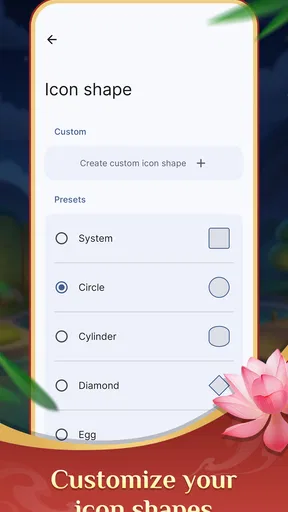
It also differs from a normal launcher. A dedicated launcher or system search tool is generally the better choice if speed, customization, and immediate access to apps are your only priorities. This game adds a calmer activity, but that extra identity may feel unnecessary if you never intend to play. I would choose it over a plain search tool only when the matching element is genuinely attractive.
Compared with competitive puzzle games, this title seems better suited to people who do not want timers, pressure, or social comparison to define every session. The trade-off is that players seeking a strong challenge may find the experience too gentle. It is a companion for quiet moments, not an obvious choice for someone who wants to chase difficult scores or build a long-term competitive routine.
Everyday ways I would use it
One realistic use is during a short break after work. I might open the app to reach a utility I need, then stay for a few minutes of matching before returning to the rest of the evening. The practical search function gives the launch a purpose, while the puzzle prevents the app from feeling like another purely functional shortcut.
Another use is for people whose home screens have become disorganized. Instead of swiping through several pages to find an infrequently used app, they can try the search-oriented side first. The benefit is not that it replaces every system feature, but that it gives a single installed title two distinct jobs.
I would also consider it for a low-stimulation break between more demanding tasks. The mahjong-style format is familiar enough to understand without a long tutorial, yet different from scrolling through social feeds. The key is to keep expectations modest: this is a small reset, not a complete mindfulness program or a deep strategy challenge.
On the other hand, I would skip it if my phone already has an excellent search workflow and I only enjoy games with substantial progression. I would also look elsewhere if I need accessibility options, competitive features, or a broad selection of puzzle formats before deciding whether a download is worthwhile. Those needs are more naturally served by specialized alternatives.
What I would remember before installing
The free price removes the main barrier to trying it, and the positive average rating gives it a promising first impression. Still, a rating cannot tell me whether the unusual combination fits my habits. I would install it because I want both a quick app-finding aid and a quiet matching activity, not simply because the score looks strong.
I would also keep the supported system in mind. Android 8.0 or later is required, and checking that before installation can prevent a lot of unnecessary troubleshooting. Once installed, I would use the normal update route and avoid judging the entire experience from a single slow launch.
My practical verdict is favorable but specific. Courtyard Zen: Quest is worth trying for someone who wants a gentle puzzle with a useful launcher angle, especially if ordinary game menus feel too busy and a standard launcher feels too dry. Its biggest weakness is the same feature that makes it distinctive: the blend can be less immediately clear than a dedicated tool or a dedicated game.
I would recommend it to a friend who enjoys short, calm sessions and likes discovering small conveniences in an app. I would not recommend it as a replacement for a serious mahjong collection, a powerful launcher, or a competitive puzzle platform. Used within its intended scale, it offers a pleasant little routine: find what you need, slow down for a matching activity, and return to the day without demanding too much attention.
Pros
- Relaxing garden environments create a calm
- low-pressure experience.
- Quest objectives provide structure without forcing a fast pace.
- Short play sessions fit well into breaks or casual mobile gaming.
- Decorative details make progress feel visually rewarding.
- Simple interactions are approachable for players of different ages.
Cons
- Some quests may feel repetitive after extended play sessions.
- Progress can become slower once early rewards are completed.
- Small interface elements may be inconvenient on compact screens.
- The peaceful pace may not satisfy players seeking intense action.
- Certain features may depend on an active internet connection.
FAQs for Courtyard Zen: Quest
What is Courtyard Zen: Quest, and how does the gameplay work?
Courtyard Zen: Quest is a relaxing puzzle and garden-themed game focused on completing quests, solving challenges, and gradually improving a peaceful courtyard. During a typical session, you work through objectives, collect or earn useful resources, and unlock new decorative or interactive elements. The experience is designed to be calm and accessible, making it suitable for short play sessions as well as longer periods of casual progression.
Is Courtyard Zen: Quest free to download and play?
Courtyard Zen: Quest can generally be downloaded without an upfront purchase, allowing players to try the main gameplay before spending money. However, depending on the version available for your device, the game may include optional in-app purchases, advertisements, or time-saving items. These extras are not necessarily required to enjoy the core experience, but users should review the store listing and payment settings before downloading.
Does Courtyard Zen: Quest require an internet connection?
The game may allow some basic activities to work offline, but an internet connection can be necessary for features such as advertisements, cloud synchronization, updates, account services, event content, or in-app purchases. Availability can vary between Android and iOS versions. If you plan to play while traveling or without mobile data, it is best to test the game after installation and check whether your progress is saved correctly.
Is Courtyard Zen: Quest suitable for children and casual players?
Courtyard Zen: Quest is aimed primarily at casual players who enjoy gentle puzzles, collection, decoration, and gradual progression rather than fast action or competitive gameplay. Its relaxed presentation may appeal to families and younger users, but parents should still check the age rating, advertising policy, chat or social features, and purchase options shown on the relevant app store. Parental controls are recommended if children use the device.
What devices are compatible with Courtyard Zen: Quest, and is much storage required?
Compatibility depends on the current release and the operating system version installed on your device. Before downloading Courtyard Zen: Quest, check the official Google Play or Apple App Store page for the required Android or iOS version, supported device models, and available storage. Although the initial download may appear small, updates and saved game data can require additional space, so keeping some free storage is advisable.


